Connect your tills with Qovah Cloud
Subscribe, sign your tills in, and get syncing, branches, nightly backups and a summary every morning.
- 1
Sign in to Qovah Cloud
In Settings › Account, sign in with your Qovah Cloud email and password, or make an account there. Confirm your email from the link we send; the daily summary goes only to confirmed emails.
- 2
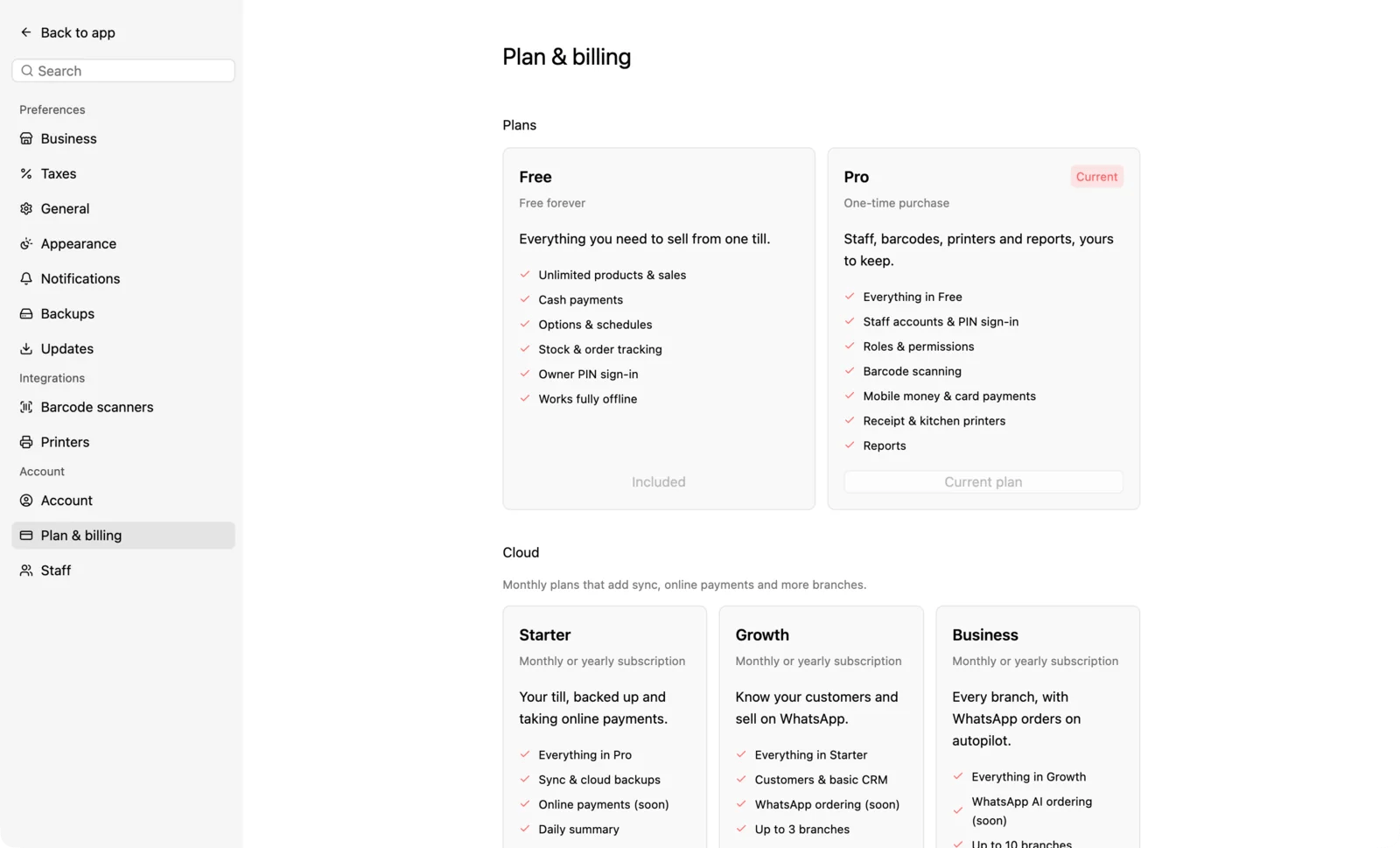
Choose a plan
In Settings › Plan & billing, pick Qovah Cloud (GHS 149/month) or Qovah Business (GHS 899/month), monthly or yearly. A year costs 10 months. Pay by card for automatic renewals or prepay 1, 3 or 12 months with Mobile Money through Paystack checkout. The plan switches on once payment is verified.
- 3
Sign in your other tills
On each other computer, sign in with the same owner's account and choose to join your business. That till backs up what it had, then takes the business's menu, staff, prices and sales.
- 4
Keep selling, online or not
Each till syncs every few seconds while it's online. Offline, it keeps selling and its changes go when the internet is back.
- 5
Add branches
In Settings › Business › Branches, add a branch and move tills into it. Branches share the menu, staff and promotions, and keep their own sales, cash-ups and stock. Qovah Cloud includes 1 branch and Qovah Business includes 10; either plan can add extra branches for GHS 99/month or GHS 990/year each, up to 20 branches in total. Adding a second branch automatically unlocks consolidated reporting and shared customers.
- 6
Backups and the daily summary
Qovah Cloud backs up your whole business every night; restore one from Settings › Backups. Each morning, owners get yesterday's takings, best sellers and anything worth a look by email.